AI Laptop Buying Guide 2026: Why Everyone Is Talking About AI PCs
Walk into any laptop store or browse online in 2026, and you will see "AI PC" stamped on almost every new model. Intel Core Ultra, AMD Ryzen AI, Snapdragon X Elite, Copilot+ PC, NPU, TOPS — the list of new terms is confusing.
Here is the truth: laptop buying is no longer only about CPU cores, RAM and storage. AI features are changing how laptops handle video calls, battery life, photo editing, background tasks and even security. But not every "AI laptop" is worth your money.
Before you spend, use our Laptop comparison page to compare real specs side by side. This guide will explain what AI PC really means, which chips to look for, and when to ignore the hype.
Quick Verdict: Do You Really Need an AI Laptop?
Buy an AI laptop if you want: better battery efficiency, faster background AI tasks (like live captions, studio effects, smart replies), future-ready Windows features (Copilot+), and on-device privacy for AI processing.
A normal laptop is still fine for basic browsing, office documents, online classes and media consumption. If you only use web-based tools and do not care about local AI features, a good non-AI laptop with decent RAM and SSD will serve you well.
For creators, professionals and students – do not buy a laptop just because it says AI. Focus on display quality, battery life, RAM, storage and real-world performance. AI is an added bonus, not the main reason.
What Is an AI Laptop?
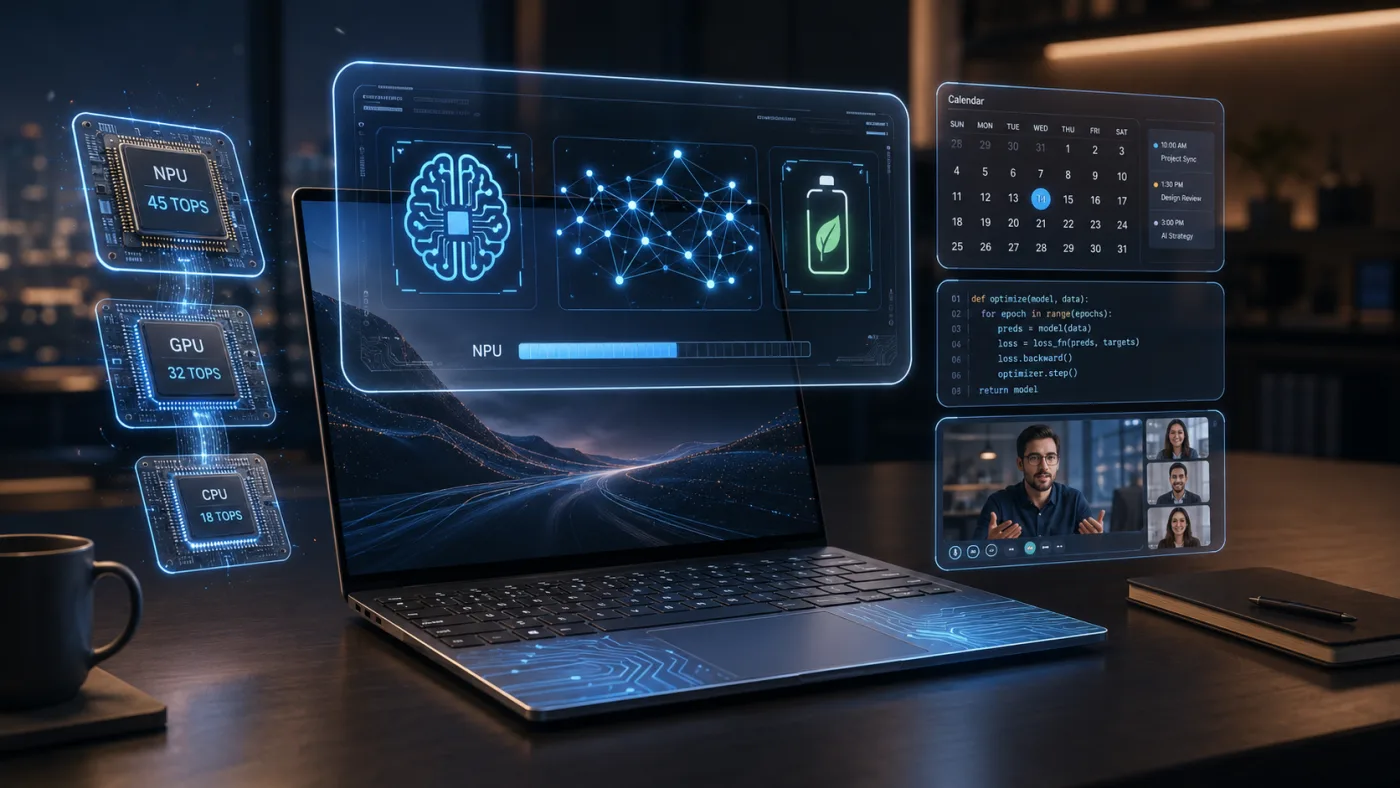
An AI laptop is simply a laptop that has a dedicated chip (called an NPU – Neural Processing Unit) inside, designed to run artificial intelligence tasks directly on the device instead of sending data to the cloud.
Traditional laptops use the CPU (central processor) for most work and the GPU (graphics) for heavy visual tasks. AI laptops add a third engine – the NPU – that handles AI workloads like background blur in video calls, real-time translation, voice commands, photo upscaling, and even local chatbots.
Benefits of on-device AI: faster response (no internet lag), better privacy (your data stays on your laptop), and lower battery drain compared to using cloud AI or forcing the CPU/GPU to do AI work.
AI Laptop Terms Explained
Here is a simple table to decode the jargon you will see in 2026:
你们
Intel Core Ultra vs AMD Ryzen AI vs Snapdragon X Elite vs Apple M-Series
Four main platforms dominate 2026. Here is how they compare:
| Term | Meaning | Why It Matters |
|---|---|---|
| AI PC | A PC with an NPU capable of running AI tasks locally. | Microsoft and chipmakers use this label to mark devices ready for Copilot+ and future AI features. |
| NPU | Neural Processing Unit – a chip专门 for AI calculations. | Higher NPU performance (measured in TOPS) means smoother AI features without slowing your laptop. |
| Copilot+ PC | Microsoft’s certification for AI PCs that meet minimum 40 TOPS NPU and advanced AI features. | Copilot+ laptops get exclusive Windows AI tools like Cocreator, Live Captions, and Recall (with privacy). |
| TOPS | Tera Operations Per Second – how many trillion AI operations the NPU can do per second. | Higher TOPS = faster AI. For Copilot+, you need at least 40 TOPS. Most 2024 chips had 10-20 TOPS; 2026 chips go beyond 50. |
| On-device AI | AI processing done locally, not in the cloud. | Better privacy, works offline, lower latency. Essential for serious productivity. |
| Intel Core Ultra | Intel’s AI-ready laptop chips with built-in NPU (Intel AI Boost). | Good balance of performance and efficiency. Found in many Windows laptops. |
| AMD Ryzen AI | AMD’s chip series with Ryzen AI NPU. | Strong multi-core CPU performance and competitive NPU power (up to 50+ TOPS in 2026 models). |
| Snapdragon X Elite | Qualcomm’s ARM-based laptop chip with very high NPU performance (45+ TOPS). | Excellent battery life and AI speed, but check app compatibility (x64 emulation works well now). |
| Apple M-series | Apple’s own chips (M3, M4, etc.) with a Neural Engine (Apple’s NPU). | Very efficient, great for creative AI tasks (video, photo, music). macOS has its own AI ecosystem. |
| Platform | Best For | Strengths | Watch Out For |
|---|---|---|---|
| Intel Core Ultra (Series 2 / 3) | General Windows users, office work, light creation | Widest compatibility, good single-core speed, mature drivers | Battery life not as good as ARM chips; NPU typically 30-40 TOPS (sufficient for most) |
| AMD Ryzen AI (Ryzen 8040 / AI 300) | Multitasking, coding, content creation | High CPU core count, excellent iGPU, NPU up to 50+ TOPS | Fewer AI-optimized apps initially, but growing fast |
| Snapdragon X Elite | Battery life, on-the-go professionals, AI heavy users | 45+ TOPS NPU, 15+ hours real battery, 5G option | Some legacy apps may need emulation (runs most well now) |
| Apple M4 / M4 Pro / M4 Max | Creators, developers, Apple ecosystem users | Incredible efficiency, Neural Engine (38 TOPS on M4), unified memory | Expensive, limited gaming, not for Windows-only workflows |
For a deeper look at specific models, check the Apple MacBook Air 13-inch M4 specs and price or the Dell XPS 13 specs and price (Intel/Qualcomm options).
Performance: AI Is Not Everything
Do not let the "AI" sticker distract you from core laptop fundamentals. Even the smartest NPU cannot fix a low-RAM, cheap-display, or poorly cooled laptop.
When evaluating any AI laptop, also check:
- Processor generation – newer is generally better for efficiency and NPU performance.
- RAM – 16GB minimum for Windows AI features; 32GB for heavy multitasking.
- SSD – 512GB minimum; 1TB recommended for creators/gamers.
- Cooling system – thin AI laptops can throttle; read thermal reviews.
- Display – resolution, brightness, color gamut, refresh rate.
- Battery capacity – advertised AI efficiency varies by workload.
- Ports – USB-C (Thunderbolt 4/5 for Intel, USB4 for AMD/Qualcomm), HDMI, audio jack.
- Software compatibility – ensure your critical apps run natively (especially on ARM like Snapdragon).
How Much RAM and Storage Should You Choose?
AI features, especially on-device models, consume memory. Here is real-world advice for 2026:
- 8GB RAM – Only for very basic use (web browsing, email). Not recommended for AI laptops – you will hit limits fast.
- 16GB RAM – The safer choice for most students and office users. Handles Copilot+ features, multiple tabs, and light editing.
- 32GB RAM – For creators, data science, heavy VM usage, and local LLMs. Many AI enthusiasts prefer 32GB.
- 512GB SSD – Minimum acceptable. Windows + basic apps take ~80GB; AI models and your files will fill the rest.
- 1TB SSD – Recommended for creators, gamers, professionals or anyone who keeps local photo/video libraries.
Battery Life and Efficiency
One genuine benefit of AI laptops: offloading small AI tasks to the NPU saves battery compared to running them on CPU/GPU. But do not assume every AI laptop lasts 15 hours.
Battery life still depends on:
- Display resolution and refresh rate (4K OLED drains faster than FHD IPS).
- Battery size (Whr). Look for 60Wh+ for all-day usage.
- Chip efficiency – Snapdragon X Elite and Apple M4 lead; Intel/AMD have improved but trail slightly.
- Your workload – heavy AI tasks still use power.
Check independent reviews for battery life under real use, not manufacturer claims.
Display Quality Matters More Than AI Branding
You interact with your laptop’s screen every single day. AI features do not improve a bad display.
For 2026, aim for:
- OLED or mini-LED for true blacks and vivid colors (creators will love this).
- At least 400 nits brightness for outdoor or bright office use.
- 120Hz refresh rate for smoother scrolling and animations (standard now even on mid-range).
- 100% sRGB or DCI-P3 coverage for color accuracy.
Consider the ASUS Vivobook S 15 OLED specs and price if you want a brilliant OLED screen with AI chops at a reasonable cost.
Best AI Laptop Type by User
For Students
Look for a balance of portability, battery life, and enough performance for note-taking, research, and occasional media editing. 14-inch, 16GB RAM, 512GB SSD. Intel Core Ultra 5 or AMD Ryzen AI 5 models work well. Snapdragon X Elite is great if your required apps are compatible (e.g., Microsoft Office, Zoom, browser-based tools). Avoid heavy gaming laptops.
For Office Users
Prioritize build quality, keyboard comfort, video conferencing features (AI background blur, eye contact correction), and multi-monitor support. Copilot+ features like Live Captions and intelligent summarization help productivity. 16GB RAM, 512GB SSD. Intel Core Ultra 7 or AMD Ryzen AI 7 are safe choices.
For Creators (Photo, Video, Design)
You need a powerful GPU (RTX 40 series or upcoming 50 series) alongside a good NPU. Apple M4 Pro/Max or Intel Core Ultra 9 + NVIDIA RTX 4070/4080. 32GB RAM minimum, 1TB SSD, high-resolution OLED/mini-LED display. AI features help with upscaling, rotoscoping, and smart masking.
For Coders
Developers working with AI/ML need strong CPU multithreading, lots of RAM (32GB+), and fast SSD. Local LLM testing benefits from NPU. Linux compatibility is important – Snapdragon X Elite is still maturing; Intel/AMD are safer for traditional Linux. Apple M-series MacBooks are popular for data science and iOS development.
For Gamers
Current AI laptops are not primarily for gaming. NPU does not help most games. Focus on GPU (RTX 4070 or higher), high refresh display, and good cooling. Some gaming laptops now include NPU for background tasks but that is secondary. Stick with Intel Core Ultra or AMD Ryzen AI + dedicated GPU.
For Business Users
Security and reliability matter most. Look for vPro (Intel) or Ryzen Pro features, hardware-level security, and long-term support. Copilot+ features for meeting transcription and smart document handling can save time. Dell Latitude, Lenovo ThinkPad, HP EliteBook with AI chips are solid choices.
Price and Value
Globally, AI laptops start around $700 for entry-level Copilot+ PCs (Snapdragon X Plus or Intel Core Ultra 5) and go up to $3000+ for premium creator or business models. Non-AI laptops with similar traditional specs are $100-200 cheaper, but you lose future compatibility with upcoming Windows AI features.
India-specific note: Buyers in India should always check live prices, warranty, exchange offers and bank discounts on Amazon, Flipkart, Croma and Reliance Digital before buying an AI laptop. Apple MacBooks generally have strong resale value in India, while Windows AI laptops offer wider choice across price segments. Snapdragon X Elite laptops may appeal to users who prioritize battery life and use mostly Microsoft Store or web apps. Do not pay a premium for "AI" branding without verifying NPU TOPS and real-world reviews.
Common Mistakes Buyers Make When Choosing an AI Laptop
- Buying only because it says "AI PC" – check the actual NPU performance and which AI features you will use.
- Ignoring RAM – 8GB is painful on Windows 11 with AI features enabled.
- Ignoring display quality – a dim, low-res screen ruins the experience.
- Choosing low storage – 256GB SSD is obsolete; avoid it.
- Forgetting software compatibility – especially important for Snapdragon X Elite laptops (check your niche apps).
- Not checking ports – many thin AI laptops have only USB-C; you may need dongles.
- Ignoring warranty and service – AI chips are new; good local service matters.
Which AI Laptop Should You Buy in 2026?
- Best for battery life: Snapdragon X Elite (e.g., ASUS Vivobook S 15 or Lenovo Yoga Slim 7x).
- Best for students: Acer Swift Go 14 (Intel Core Ultra 5/7) or HP Pavilion Aero with Ryzen AI.
- Best for creators: Apple MacBook Pro M4 or ASUS ProArt P16 with Ryzen AI 9 + RTX GPU.
- Best for Windows generalists: Dell XPS 13 Plus (Intel Core Ultra 7) or Lenovo Yoga Slim 7i (see Lenovo Yoga Slim 7i specs and price).
- Best for Apple ecosystem users: MacBook Air M4 (lightweight) or MacBook Pro M4 (power).
- Best value pick (performance per dollar): ASUS Zenbook 14 OLED with AMD Ryzen AI 7 – check ASUS Zenbook 14 OLED specs and price.
NXTrendz Verdict
AI laptops in 2026 are not a gimmick – they bring real improvements in battery efficiency, privacy, and daily productivity shortcuts. However, smart buyers should not ignore the fundamentals. A well-rounded laptop with 16GB RAM, 512GB SSD, a good display, and a solid build will serve you longer than a gimmicky AI sticker on a weak chassis.
Our advice: if you plan to keep your laptop for 3-4 years, choose a Copilot+ certified model with at least 40 TOPS NPU. That will ensure you get the full Windows AI experience as it matures. But always cross-check real-world reviews and use comparison tools to avoid marketing hype.
Start your research on our Laptop comparison page to filter by chipset, RAM, display and price. The right AI laptop for you is the one that disappears into your workflow, not one that shouts "AI" from the lid.
FAQs
1. What is an AI laptop?
An AI laptop contains a dedicated Neural Processing Unit (NPU) that runs artificial intelligence tasks locally – like background blur, real-time translation, and smart photo editing – without using the main CPU or GPU. This saves battery and improves privacy.
2. Is an AI laptop better than a normal laptop?
For future-ready features and efficiency, yes. But if you only do basic tasks and do not need on-device AI, a normal laptop with good specs (16GB RAM, SSD) is still perfectly fine. AI becomes essential only if you use video conferencing heavily, local AI tools, or want the best battery life.
3. Do students need an AI laptop?
Not strictly necessary, but helpful. AI features like live captions, note summarization, and transcription can aid studying. Battery efficiency also benefits long days on campus. If budget allows, get a Copilot+ PC with 16GB RAM. Otherwise, a decent non-AI laptop works.
4. What is NPU in a laptop?
NPU stands for Neural Processing Unit. It is a specialized chip designed to accelerate machine learning and AI computations. The NPU works alongside the CPU and GPU to handle AI tasks quickly and efficiently, especially for continuous workloads like voice recognition or video effects.
5. Is Apple M-series considered good for AI tasks?
Yes, very good. Apple’s Neural Engine (found in M1/M2/M3/M4 chips) is an NPU that powers features like Live Text, FaceTime background blur, and photo search. For creative AI tasks (video upscaling, music separation, Core ML models), MacBooks are excellent – but the ecosystem is different from Windows Copilot+.
6. Should I buy an AI laptop in 2026?
If you are buying a new mid-range or premium laptop, yes – most good options already include AI capabilities. Avoid paying a huge premium just for the AI label. Focus on overall quality, and ensure the NPU delivers at least 40 TOPS for Copilot+ certification. By 2026, AI laptops are the standard, not an exotic choice.
You can check these: